
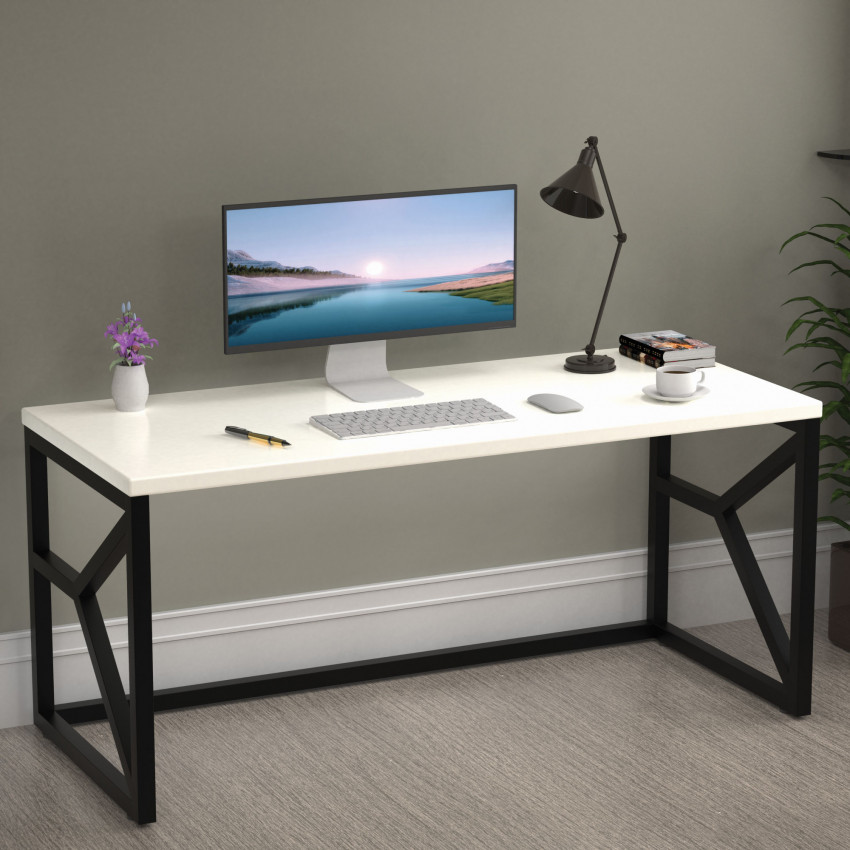
How to Set Up an Organised Workstation With the Right Computer Table
In today’s world, where work-from-home culture, digital learning, and hybrid offices have become the new normal, the importance of an organised, comfortable, and thoughtfully designed workstation cannot be overstated. Whether you are a student, a professional, a freelancer, or someone managing your own business from home, the foundation of your productivity begins with your computer table. More than just a piece of furniture, the right computer study table creates structure, improves focus, enhances comfort, and transforms even the smallest corner of your home into a functional and inspiring workspace.
This extensive guide is designed to walk you step-by-step through how to set up an organised workstation with the right computer table, how to make smart design choices, how to maintain an organised workspace, and how to create the best workstation setup for productivity, all while keeping ergonomics, aesthetics, and space optimisation in mind. By the end of this blog, you will know exactly how to create a workstation that boosts your work quality, protects your posture, and enhances your daily routine.
1. Why an Organised Workstation Matters
An organised workstation is not just about cleanliness. It is the physical environment that shapes your mental environment. When your desk is cluttered, your mind is cluttered. When your chair or table height is wrong, your body feels strained. When your workspace lacks structure, your output becomes inconsistent. This is why your computer table and the way you set up your workstation play a critical role in determining how well you work or study.
A clean and thoughtfully arranged workstation helps your brain remain calm because it removes unnecessary visual noise. When your essentials, your laptop, books, files, and devices, are arranged neatly on your computer study table, your mind experiences less friction switching between tasks. This automatically improves your flow, making you more efficient and less stressed.
Ultimately, a well-arranged workstation gives you a sense of ownership and motivation. It becomes your personal zone, a place that signals your brain: “This is where work gets done.” And that makes all the difference.
2. Choosing the Right Computer Table for Your Needs
The core of any effective workspace is the right computer table. The design, size, shape, and features of your desk influence how comfortably and efficiently you can work. Before setting up anything, it is important to understand what your needs are and which type of table best supports your daily tasks.
Choosing the right computer table begins with evaluating your space. If you live in an apartment or a compact home, a space-saving computer table is ideal. These are designed to maximise utility while occupying minimal floor space, allowing you to maintain a clean and open room layout. On the other hand, if you have a dedicated home office, you may prefer a larger table with extensive storage and space for multiple screens, books, or office equipment.
Next, you must consider how you intend to use the table. A student may need more surface area for reading materials, notebooks, and writing space. A designer or coder may require a study table for a computer that supports dual monitors and additional equipment. A remote employee may prefer a work-from-home table designed to support long hours, offering features like cable ports, comfortable height, and adjustable components.
Storage needs also play a major role. If you prefer a minimal desk surface but still want to keep your essentials nearby, a table with drawers, shelves, or vertical organisers will work best. For those using desktop computers, look for a table with a dedicated CPU compartment and a built-in keyboard tray to maintain a neat and ergonomic setup.
Material and durability are equally important. A table made of engineered wood or MDF offers a modern look and is budget-friendly, while metal-frame tables provide long-lasting strength and stability. For a premium feel, solid wood computer tables add elegance and durability but come at a higher cost.
The table’s design should also complement your room’s interior. A simple wooden top with a black metal base fits modern setups, while all-wood designs offer warmth and classic aesthetics. White, minimal tables suit small rooms by reflecting more light and creating a sense of openness.
Finally, consider your budget. There are excellent options across all price ranges. Prioritise features and comfort over size or appearance alone. A well-chosen computer table is not just a purchase, it is an investment in your productivity, comfort, and well-being.
3. Types of Computer Tables and Which One You Should Buy
Understanding the different types of computer tables helps you choose a model that fits your lifestyle, work style, and room layout. Each type offers unique advantages, so selecting the right one ensures maximum efficiency.
A standard computer table is the most versatile type. It offers a balanced surface area, a simple design, and enough space for laptops, books, and basic stationery. This table works well for students, professionals, and casual users who don’t require extensive storage or advanced ergonomic features.
A space-saving computer table is ideal for those who live in smaller homes, dorm rooms, hostels, or apartments. These tables take advantage of compact designs without compromising utility. They may include foldable tops, wall-mounted shelves, or sliding trays that help conserve space while still supporting your essentials.
Wall-mounted computer desks are perfect for ultra-compact areas. They can be folded up when not in use, giving you back your living space. These are great for those who want a minimal, modern look and do not need a large desk surface.
L-shaped and corner computer tables maximise corner areas, offering more workspace without occupying too much floor area. These are excellent for users with multiple monitors, printers, or additional equipment such as drawing tablets. They also help keep different work tasks separated, for example, using one side for the computer and the other for paperwork.
Height-adjustable computer tables are becoming increasingly popular due to their ergonomic benefits. They allow you to switch between sitting and standing during work, helping reduce long-term strain on your spine, shoulders, and wrists. These are ideal for professionals who work for long hours and want to maintain better posture and overall health.
A computer study table designed specifically for students usually includes open shelves, book racks, and writing-friendly surfaces. These tables help students maintain a clean and organised space for both digital and written study tasks.
Ultimately, the best table for you depends on your work requirements, available space, and personal preferences. Your goal should be to choose a table that enhances comfort, supports your tasks, and improves the quality of your daily workflow.
4. Essential Elements of a Productive Workspace
A productive workspace is more than just a desk and a chair. It is a thoughtfully designed environment that encourages focus, supports comfort, and enhances efficiency. The first essential component is, of course, the computer table. But beyond that, several elements work together to form an ideal organised workspace.
Lighting plays a crucial role in setting up a productive workstation. Natural lighting is always the best choice because it reduces eye strain and improves mood. Position your desk near a window if possible. If natural light is limited, a desk lamp with warm and diffused lighting can make a big difference.
Your chair is equally important. A well-designed, ergonomic chair that supports your back, shoulders, and neck ensures long-term comfort and prevents fatigue. Sitting in the wrong chair for hours can affect posture, productivity, and overall health, so do not overlook this part of your setup.
Organisation tools such as shelves, file holders, desk drawers, and storage boxes help keep your computer table clutter-free. When everything has a designated space, you maintain a cleaner desk surface and work more efficiently. Proper storage also saves time, as you don’t have to hunt for items every time you need them.
Ventilation and temperature control also influence productivity. A good airflow keeps the space fresh, helps you stay alert, and prevents discomfort. It's also beneficial to keep your devices cool, especially if you use a desktop setup.
Lastly, your workspace should reflect your personality. Adding small personal touches such as plants, décor items, or artwork makes the workstation feel more inviting and keeps you motivated. When you enjoy being in your workspace, your productivity naturally increases.
5. How to Set Up a Computer Table Step-by-Step
Setting up your computer table properly is essential for maintaining a smooth workflow and ensuring long-term comfort. Begin by selecting the perfect location for your desk. Choose a spot that receives adequate natural light but avoids direct glare on the screen. Positioning the table near a power outlet is also important because it minimises cable clutter and makes connecting devices easier.
Once you have chosen the location, assemble the table carefully and place it against a wall for stability. The table should be positioned in such a way that you have enough legroom and can comfortably stretch your legs without hitting anything underneath.
Next, focus on your monitor or laptop placement. Your screen should be at eye level so you don’t bend your neck downward or upwards, which can cause strain. If you are using a laptop, consider a laptop stand for better height alignment. Place your keyboard and mouse at a comfortable distance so your elbows remain at a natural angle.
Now begin arranging your essential items. Keep frequently used items such as pens, notebooks, headphones, or planners that are within easy reach. Items that are used rarely should be placed in drawers, shelves, or containers to keep the desk surface open and clean.
Cable management is a major part of your setup. Unmanaged cables can tangle, look messy, and even cause safety hazards. Use cable ties, clips, sleeves, or under-desk trays to keep them organised. Run screen, charger, and accessory cables neatly through one side of the desk to maintain a tidy layout.
6. Tips for Organising a Computer Study Table
Organising your computer study table is essential for maintaining focus and productivity. The first step is minimising clutter. A messy desk can easily become overwhelming, affecting your ability to think clearly. Start by removing anything that you don’t need regularly. This ensures that your desk remains open, breathable, and easy to work on.
Next, assign a designated spot for every item. Place stationery inside containers or drawers so they don’t scatter across the table. Books can go on floating shelves or wall-mounted racks above your desk. This keeps them accessible but not intrusive.
Using desk organisers is one of the smartest ways to maintain structure. Pen holders, file stands, mini drawers, and tray organisers help categorise your essentials. These organisers not only declutter your desk but also save time during work.
Vertical space should always be used wisely. Instead of crowding your table surface, use shelves, pinboards, or wall grids to store notes, reminders, or important documents. This keeps your desk open for writing or typing while still giving you easy access to important materials.
Make it a habit to reset your desk at the end of each day. Clear papers, put items back in their place, and wipe the surface. A clean workspace in the morning creates a fresh start, enhances mental clarity, and sets a productive tone for the day.
When your computer study table is organised, your mind feels lighter, your workflow becomes smoother, and your overall productivity improves significantly.
7. Space-Saving Tips for Small Rooms
Small rooms often pose a challenge when setting up a workstation, but with thoughtful planning, even the smallest area can transform into a highly functional workspace. Start by choosing a space-saving computer table, such as a compact desk with shelves, a foldable wall-mounted table, or a corner table.
Using vertical space is crucial in smaller rooms. Install floating shelves, wall racks, or pegboards above your desk to store books, stationery, or other essentials. This leaves your desk surface open for work while keeping everything accessible.
Consider using slim storage cabinets or under-table drawers to reduce clutter. Choose transparent or labelled containers so you can find things easily without searching through boxes.
Additionally, select minimal furniture. Avoid oversized chairs that occupy unnecessary space. Instead, opt for a comfortable, compact chair that fits neatly under your table when not in use.
Keep décor minimal, too. A small plant, a simple lamp, or a single framed picture can add style without overwhelming the space. Prioritise functionality first and add only items that contribute positively to your environment.
With the right design choices, even a small corner can become a productive, beautifully arranged workstation.
8. Home Office Setup Ideas for Every Space
Setting up a home office varies from person to person depending on available space, budget, and lifestyle. If you work from your bedroom, choose a compact, dedicated computer table and place it near a window to take advantage of natural light. Keep accessories minimal to avoid crowding the room.
A living room setup can benefit from a stylish office table for a computer that blends well with the décor. Choose neutral colours and sleek designs to maintain harmony with your interiors. Use cable organisers to keep wires hidden, especially in shared or open spaces.
If you have a spare room, convert it into a dedicated home office with a large table, comfortable seating, shelves, and décor. This setup gives you maximum flexibility and creates a professional environment ideal for video calls, meetings, and long work hours.
For extremely limited spaces, wall-mounted desks or foldable tables work brilliantly. They offer functionality when needed and disappear when not in use, keeping your home free of unnecessary clutter.
Your home office should inspire you, support your workflow, and align with your daily routine. With the right computer table and thoughtful arrangement, any space can become a productive work zone.
9. Common Workstation Mistakes & How to Fix Them
One of the most common mistakes people make is overcrowding the desk. Too many items create confusion, reduce focus, and make the space unattractive. The solution is adopting a minimalist approach: keep only what you need on the desk and store the rest elsewhere.
Poor lighting is another major issue. Working in dim or harsh lighting strains your eyes. Fix this by ensuring a mix of natural light and artificial task lighting.
Improper table height or chair height leads to posture problems. Make sure your table and chair align with your body’s natural posture and comfort. An ergonomic computer table makes a world of difference.
Cable chaos is a frequent problem. Use cable management tools to keep wires neat and tucked away. This not only improves aesthetics but also boosts safety.
Finally, many people ignore organisation. A clean desk is not optional, instead it is necessary for mental clarity and better work performance. Decluttering regularly solves this instantly.
10. Frequently Asked Questions
- How do I choose the right computer table?
- Choose a table based on space availability, your work needs, ergonomic comfort, material quality, storage features, and design compatibility with your room.
- How do I set up a computer table properly?
- Position it in a quiet, well-lit area with access to power sources. Keep the monitor at eye level, manage cables effectively, and place essential items within reach.
- What is the best computer table for the home?
- A compact, ergonomic computer table with shelves, proper height, and smart storage is ideal for most home setups.
- How can I organise my computer study table?
- Declutter daily, use desk organisers, place books on shelves, manage cables, and maintain a minimal table surface.
11. Final Thoughts
Setting up an organised workstation with the right computer table is a transformative experience. It enhances productivity, supports physical health, and creates a space that motivates you every day. Whether you are designing a workstation for work, study, creativity, or multitasking, your environment directly influences how efficiently you function.
By choosing the right table, adopting ergonomic principles, managing cables, organising accessories, and designing a space that aligns with your personal style, you create the best workstation setup for productivity, one that supports your goals, improves your work quality, and brings structure to your routine.
-

Computer Table Size Guide: Standard Dimensions, Height & Setup Measurements
September 30th, 2026 -

Bed Bugs vs Dust Mites on Your Mattress: How to Identify, Treat & Get Rid of Both
September 17th, 2026 -
 August 24th, 2026
 -
 August 10th, 2026
 -
 June 24th, 2026