
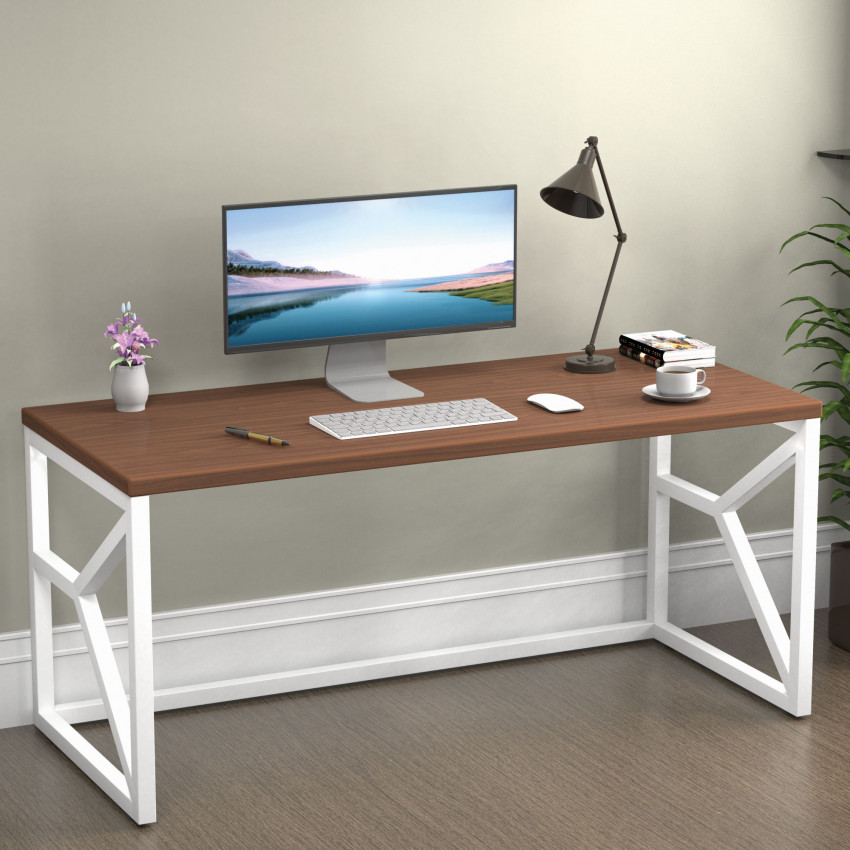
Computer Table: How to Choose the Perfect One for Home & Office
In today’s digital-first lifestyle, a computer table is no longer a luxury Instead, it’s a necessity. Whether you are a student attending online classes, a professional working long hours from home, a freelancer managing multiple projects, or a company setting up an efficient office space, the right computer table directly affects your productivity, comfort, and health.
Many people underestimate the importance of choosing the right computer table and end up using dining tables, beds, or makeshift setups. Over time, this leads to poor posture, back pain, eye strain, and reduced efficiency. That’s why understanding how to choose a computer table that suits your space, work style, and usage is crucial.
This detailed guide will help you select the best computer table for home use and office environments by covering design, size, ergonomics, materials, storage needs, and long-term benefits. Whether you need a computer table for home, a computer table for office, or a flexible setup for computer table for work from home, this blog will answer all your questions.
Why a Computer Table Is an Essential Piece of Furniture
A computer table is not just a surface to place your laptop or desktop, it is the foundation of your work environment. A well-designed table supports proper posture, organizes your workspace, and enhances focus.
Unlike regular tables, a computer table is built keeping ergonomics, wiring, storage, and prolonged usage in mind. It ensures that your screen is at eye level, your keyboard is at a comfortable height, and your legs have enough space to move freely.
In Indian homes, where space is often limited, the right computer table helps create a dedicated work zone without overcrowding the room. In offices, it improves efficiency and reduces fatigue, contributing to better employee performance.
Key Reasons a Computer Table is Important:
1. Promotes correct sitting posture: A computer table is engineered to maintain correct body alignment by placing the screen, keyboard, and chair at the right height. This prevents slouching and supports a healthy spine even after long hours of work.
2. Reduces strain on neck, shoulders, and wrists: The ergonomic setup prevents excessive bending and arm stretching, reducing tension in the muscles. This keeps you comfortable and prevents long-term joint issues.
3. Keeps workspace organized and clutter-free: With dedicated space for devices, documents, and accessories, the desk helps maintain a clean working area. An organized table boosts focus and prevents distractions.
4. Improves concentration and productivity: A dedicated workstation signals the brain that it’s time to work, helping you stay focused. This structured environment increases work efficiency and output.
5. Enhances the overall look of the room: The right computer table complements the interiors and upgrades the room’s aesthetics. It also creates a professional vibe whether it’s placed at home or office.
How to Choose a Computer Table: A Complete Buying Guide
Choosing a computer table is not just about looks, it’s about function, comfort, and durability. Let’s break down the key factors you should consider before making a purchase.
1. Purpose of Use: Home, Office, or Work From Home
The first and most important question to ask is: Where and how will the computer table be used?
- Home Use – For compact and aesthetic spaces: Tables used at home must look pleasing while being minimal in design. They should fit small rooms comfortably without making the space feel crowded.
- Office Use – For durability and utility: Office desks should withstand long hours, multiple devices, and heavy storage. They must be professional and designed to increase workflow efficiency.
- Work From Home – A mix of comfort and professionalism: WFH setups require a desk that supports long working hours while blending with home interiors. The design must balance function and comfort for everyday use.
Choosing based on usage ensures the table supports your daily routine instead of limiting it.
2. Size and Space Availability
One of the most common mistakes people make is buying a computer table without measuring their available space. A table that’s too large can make the room feel cramped, while a very small one may not support your work needs.
Before buying, measure:
- Measure wall width and available area: Before purchasing, measure the exact width of the wall to avoid buying a table that's too wide. Proper measurement ensures the table fits naturally into your layout.
- Check surface depth required for monitor/laptop: Your table must be deep enough to hold your screen at a comfortable distance. Shallow surfaces force you to sit too close, causing eye strain.
- Ensure proper legroom for comfort: A good table leaves enough space for your feet to move freely. Limited legroom makes long sitting hours uncomfortable and affects your posture.
For Indian homes, especially apartments, compact computer tables with smart storage are ideal. In offices, larger tables with multiple compartments work better.
Tip: Always leave some space around the table for easy movement and ventilation.
3. Ergonomics: Comfort Comes First
Ergonomics plays a huge role in deciding the best computer table for home use or office work. A poorly designed table can cause back pain, wrist strain, and long-term posture issues.
An ergonomic computer table should:
- Elbows should rest at 90-degree angle: This ensures your wrists and shoulders remain relaxed while typing. It prevents muscle strain during long work sessions.
- Screen must be at eye level: Placing the monitor at eye height prevents neck bending and headaches. It also helps maintain a straight posture naturally.
- Adequate legroom improves circulation: Sufficient space for leg movement prevents stiffness and improves blood flow. It reduces fatigue and keeps you comfortable throughout the day.
If you spend more than 4–5 hours daily at your desk, ergonomic design is non-negotiable.
4. Table Height and Working Posture
Standard computer table height ranges between 28 to 30 inches. However, your ideal height depends on your body type and chair height.
A good computer table allows:
- Standard table height: 28–30 inches: This range suits most adults and helps maintain ergonomic alignment. Choosing the right height prevents neck or back pain.
- Feet should rest flat on the floor: Your feet touching the ground ensures stability and reduces pressure on your lower back. It helps maintain proper sitting form.
- Wrists must stay straight while typing: Straight wrists prevent strain and keep typing comfortable. Proper wrist position reduces the risk of repetitive stress injuries.
For home and work-from-home users, adjustable or well-proportioned tables are a great option to maintain healthy posture during long working hours.
5. Material Matters: Durability and Style
The material of a computer table affects its strength, appearance, and lifespan. Choosing the right material ensures long-term value.
Common materials used in computer tables:
- Engineered wood Budget-friendly and stylish: It offers a sleek look and works well for home setups. The material is lightweight yet durable for everyday use.
- Solid wood Long-lasting and premium: Solid wood desks are strong, elegant, and resistant to wear. They work best in offices or premium home interiors.
- Metal Strong, modern, and reliable: Metal computer tables offer robustness and a contemporary feel. They handle heavy loads and are ideal for office use.
- Glass Elegant but delicate: Glass tables look modern but require careful handling. They suit minimalistic home setups but may need extra maintenance.
6. Storage Requirements
Storage is an essential factor, especially for people working from home or students. A clutter-free desk improves focus and efficiency.
Depending on your needs, look for:
- Drawers for documents and stationery: Drawers help keep papers, pens, and accessories organized. This reduces clutter and keeps everything within reach.
- Shelves for CPU, books, or printers: Shelves provide designated spots for bulky items, preventing overcrowding of the main tabletop. They keep the workspace neat and functional.
- Keyboard trays help maintain posture: Keyboard trays place your hands at a lower level for comfortable typing. They free up surface space and improve ergonomics.
- Cable management prevents messy wires: Cable holes keep wires neatly directed and avoid tangling. This keeps the setup clean and improves the desk’s appearance.
7. Design and Aesthetic Appeal
- Match with room décor: A computer table should blend with your room’s colours and furniture. A matching setup feels inviting and enhances the overall ambiance.
- Warm wood tones suit home interiors: Wood finishes add a cozy and homely feel. They are perfect for bedrooms or study areas.
- Neutral tones suit office environments: Colours like white, grey, or black maintain a professional appearance. They make the workspace look clean and corporate-ready.
8. Portability and Flexibility
In many Indian homes, furniture often needs to be moved or rearranged. Lightweight computer tables or tables with wheels offer flexibility.
Foldable or compact designs are ideal for:
- Lightweight tables are easy to move: Light tables allow you to rearrange the room whenever needed. This is helpful in smaller homes where layout frequently changes.
- Tables with wheels support mobility: Wheeled tables can be shifted between rooms effortlessly. They are perfect for temporary or shared workspaces.
- Foldable designs save space: Foldable tables can be stored when not in use. They are ideal for compact homes or occasional work setups.
Benefits of a Computer Table
1. Improved Productivity: A dedicated computer table helps you stay mentally aligned with work because it separates personal space from your professional tasks. When you sit at a defined workstation, your focus automatically increases and distractions reduce significantly. This structured environment improves overall productivity and allows you to complete tasks faster and more efficiently.
2. Better Posture and Health: A computer table is designed with ergonomics in mind, ensuring your screen, keyboard, and chair are in ideal alignment. This balanced setup reduces strain on your neck, back, shoulders, and wrists, preventing long-term posture-related issues. Over time, it helps maintain spinal health and minimizes discomfort during long working hours.
3. Organized Work Environment: Proper shelves, drawers, and desk space help you keep all essentials, like books, files, chargers, and stationery, neatly arranged. An organized workspace reduces mental clutter and saves time since everything is within easy reach. This level of efficiency creates a smoother workflow and enhances your overall working experience.
4. Professional Feel at Home: A computer table transforms any corner of your home into a work-friendly setup, creating a professional vibe. This makes online meetings, presentations, and daily work feel more structured and serious. Having a designated workspace also supports a healthier work-life balance by mentally separating "home mode" from "work mode."
5. Long-Term Cost Saving: Investing in a good-quality computer table prevents frequent repairs or the need to replace unstable furniture. By maintaining proper posture and reducing physical strain, it also helps avoid future medical expenses related to back or neck problems. Overall, it offers long-term value by supporting both your health and productivity.
Best Computer Table for Home Use: What to Look For
For home users, comfort and space optimization matter most. The best computer table for home use is one that fits easily into your room while supporting daily activities.
Ideal features:
- Compact size
- Minimal yet functional design
- Adequate storage
- Easy maintenance
Students and casual users can opt for simpler tables, while professionals should invest in ergonomic designs.
Computer Table for Office: Key Considerations
An office computer table must support long working hours and multiple devices. Durability and functionality are critical here.
Office-focused features:
- Large work surface
- Strong frame and legs
- Built-in cable management
- Professional appearance
A well-chosen computer table for office improves workflow and reduces employee fatigue.
Computer Table for Work From Home: The Perfect Balance
Work-from-home setups need flexibility. The table should feel professional yet comfortable enough for home use.
Must-have features:
- Ergonomic height
- Enough space for laptop, monitor, and documents
- Storage for accessories
- Compact design for limited spaces
This balance makes work-from-home smoother and more productive.
Common Mistakes to Avoid While Buying a Computer Table
Many buyers rush the decision and regret it later. Avoid these common mistakes:
- Ignoring ergonomics
- Choosing style over comfort
- Buying without measuring space
- Overlooking storage needs
- Compromising on material quality
Being mindful of these factors helps you make a smarter purchase.
Maintenance Tips for Long-Lasting Computer Tables
To ensure durability:
- Clean regularly with a dry or slightly damp cloth
- Avoid placing hot items directly on the surface
- Do not overload drawers or shelves
- Check screws and joints periodically
Proper care keeps your computer table functional and attractive for years.
Concluding It
A computer table is more than just furniture, it’s an investment in your productivity, comfort, and well-being. Whether you need a computer table for home, a computer table for office, or a flexible computer table for work from home, the right choice can transform how you work every day.
By understanding how to choose a computer table, considering ergonomics, size, material, storage, and design, you ensure long-term comfort and efficiency. A well-chosen computer table supports healthy posture, keeps your workspace organized, and enhances your overall work experience.
Take your time, assess your needs carefully, and choose a computer table that truly fits your lifestyle. When your workspace feels right, productivity naturally follows.
Frequently Asked Questions
1. Which computer table is best for home use?
The best computer table for home use is one that is compact, ergonomic, and fits your room layout without crowding the space. Look for a table with enough surface area for your laptop or monitor, essential storage, and proper legroom. Engineered wood tables with a simple, clean design usually work well in home interiors.
2. How do I choose the right computer table for office work?
Choosing a computer table for office requires focusing on durability, large workspace area, and organization features. Ensure the table has strong legs, a stable surface, and provisions for cable management. Offices benefit from wider tables that can hold multiple devices like monitors, telephones, printers, and files efficiently.
3. What size should a computer table be?
A standard computer table size ranges from 28 to 30 inches in height and 36 to 48 inches in width, depending on usage. Ensure the table is deep enough (at least 18–24 inches) to place your monitor at a comfortable distance. Always measure your available space before choosing the size.
4. Why is ergonomics important in a computer table?
Ergonomics ensures that your body stays in a natural and comfortable posture while working. A good ergonomic computer table keeps your screen at eye level, maintains a 90-degree elbow angle when typing, and avoids strain on your neck, back, and wrists. This improves comfort and reduces long-term health issues.
5. Which material is best for a computer table?
Common materials include engineered wood, solid wood, metal, and glass. Engineered wood is affordable and stylish, solid wood is premium and durable, metal is strong and ideal for offices, and glass tables look modern but require careful handling. Choose a material based on your budget, room design, and usage patterns.
6. Is a keyboard tray necessary on a computer table?
A keyboard tray is not mandatory but very helpful, especially for desktop users. It allows you to maintain proper posture by keeping your wrists low and elbows relaxed. It also frees up additional workspace on the main table surface.
7. How much legroom should a computer table have?
A comfortable computer table should provide at least 18–20 inches of depth for legroom and space to move your legs freely. Good legroom improves circulation and prevents fatigue during long working hours.
8. What is the ideal height for a computer table?
The ideal height is generally 28–30 inches, which suits most people and supports proper posture. If you're taller or shorter than average, consider an adjustable chair to maintain comfort and alignment.
-

Computer Table Size Guide: Standard Dimensions, Height & Setup Measurements
September 30th, 2026 -

Bed Bugs vs Dust Mites on Your Mattress: How to Identify, Treat & Get Rid of Both
September 17th, 2026 -
 August 24th, 2026
 -
 August 10th, 2026
 -
 June 24th, 2026